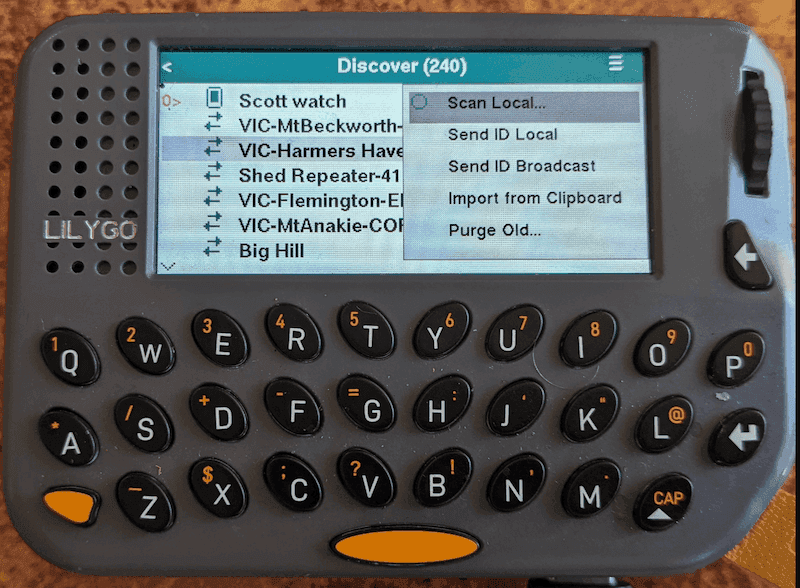
The latest release of the Ripple UI firmware has had quite a big overhaul under the hood, and the UI now sports a Light and Dark mode theming, plus you can now customise the accent colour used throughout the firmware.
Display Preferences
The Display menu now shows these preferences:
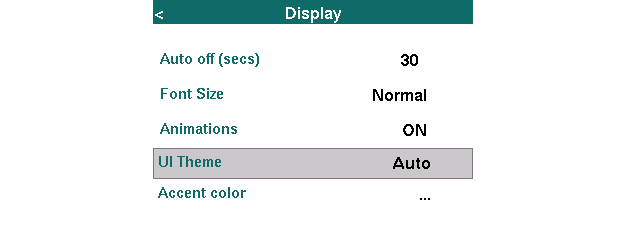
The UI Theme preference is one of: Light, Dark or Auto. The Auto option automatically switches the UI theme depending on the Brightness setting (day or night).
PAID FEATURE: The Accent color lets you customise the accent colour used throughout the firmware. There are 10 fun colour swatches to select from: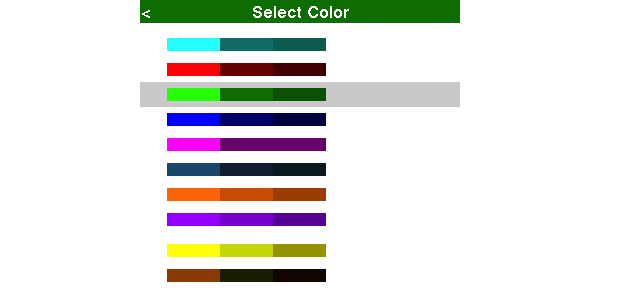
Map Theme
Note that the UI Theme preference also determines the light/dark theming for the maps:
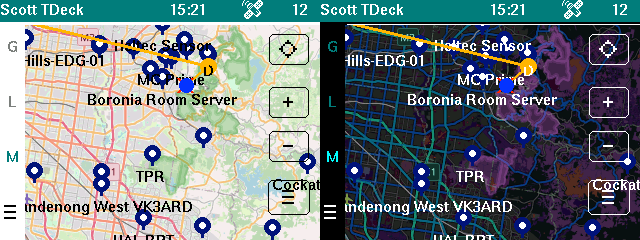
Download
Version 9.7 is now available for LilyGo T-Deck, T-Pager and the T-Watch S3 Plus. It will be rolling out soon for the other colour devices, such as the Heltec V4 Expansion Kit, etc.
These are now available in the MeshCore.io Flasher, for easy installation.