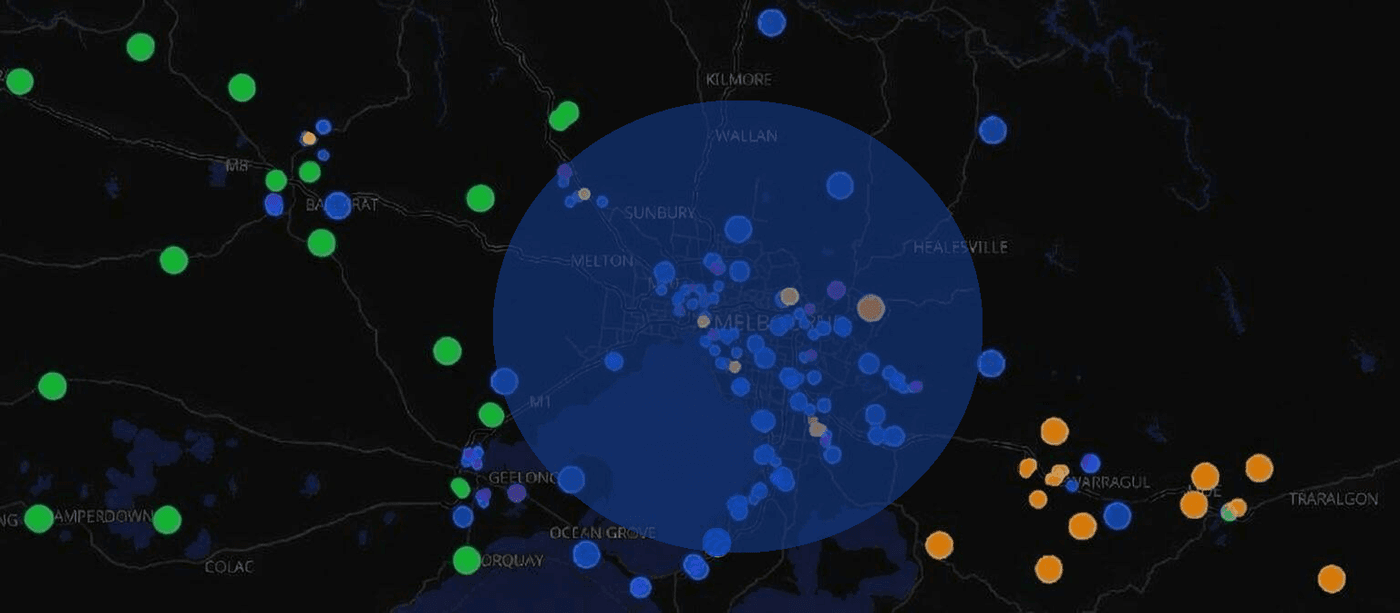
Since the v1.12.0 firmware release, scoping group channel messages has been possible, but there are still a number of road-blocks to using regions more effectively — especially for meshes like in Germany that are trying to disable un-scoped traffic (e.g. region denyf *).
In the next release (v1.15.0) there will be a new concept of 'default scope', for both companion nodes and repeater/room server. This will make it possible to send scoped DM messages, login requests, stats requests, etc. — even in a mesh that has disabled un-scoped flood traffic.
Mobile App
The MeshCore app version 1.43.0 will have a new setting in the Experimental Settings screen. Here you can set the default scope region name.
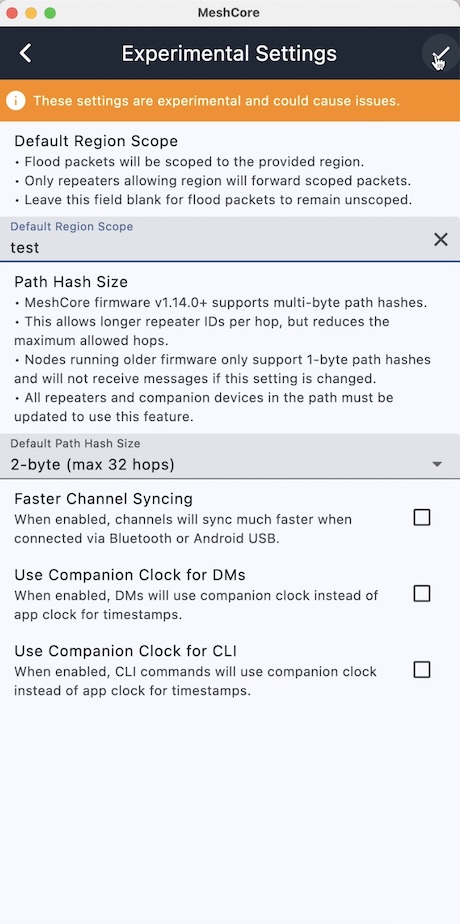
When set, ALL flood packets the companion sends (e.g. adverts, DMs, logins, or requests when the path is unknown) will be scoped to this region.
Group channel scope, if set, will override the default scope. So you can still have a (typically) smaller region/scope for individual channels.
Repeater and Room Server Admin
From v1.15.0 there will be a new CLI command:
This sets the given region as the default scope, or clears it if you specify region save is automatically performed!
Default scope is only applied to packets which originate from the repeater/room server itself. So, only adverts for a repeater — and adverts plus room posts for a room server.
Logins, Requests, Commands, and Responses
From v1.15.0 there is a new rule for responses. These originate from the repeater/room server, but follow this rule:
- If the request packet scope can be resolved (i.e. the region is in its list), then the same scope is used for the reply.
- Otherwise, the reply is sent un-scoped.
For now, this is the safer option, instead of having replies default to the default scope. During this transition period, there are too many ways a repeater admin could accidentally lock themselves out of their own repeater!
Extra: New put Default
The region put ... CLI command now defaults a new region to 'allow' for flood. So you no longer need to follow up with region allowf ....
Standalone Devices
For Ripple GUI supported devices, such as the T-Deck, the next release (v9.6) will include default scope support. From the Regions screen, simply select a plain region (or *) and in the details screen, open the menu:
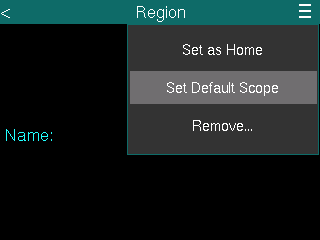
*(If needed, create a new region from the main region list for use as the default scope.)*
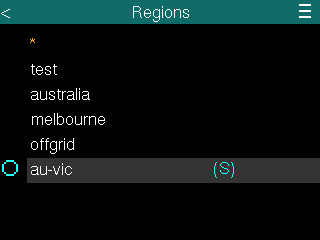
Back in the Regions list screen, you should see a (S) displayed next to the current default scope region:
FAQ
Q: As a repeater admin, what should I set the default scope to?It should typically be a large region, e.g. your city — or whichever region you wish to confine adverts to.
Q: As an app/chat user, what should I set the default scope to?This should be a large region that safely includes both yourself and the contact(s) you wish to DM. Both your messages and the returning ACKs will be scoped to this region.
Q: I manage regional MeshCore firmware builds with best defaults for the region. Can I configure a custom default region in my builds?Yes. In the relevant .ini files, simply add the following to build_flags:
(With the desired name inside the quotes.)